Unleashed Mobile App Operational Mobility

Context & Challenge

Inventory and operational users needed real-time visibility outside the office. The existing mobile experience lacked parity and clarity.

The goal wasn’t feature parity — it was contextual mobility.

Role & Contribution

Defined mobile-first prioritization framework

Led experience simplification strategy

Coordinated with backend teams on data optimization

Oversaw interaction design and mobile UI system alignment

Research & Insights

  • Users accessed mobile primarily for quick checks
  • Complex workflows were rarely completed on mobile
  • Speed and clarity outweighed feature breadth
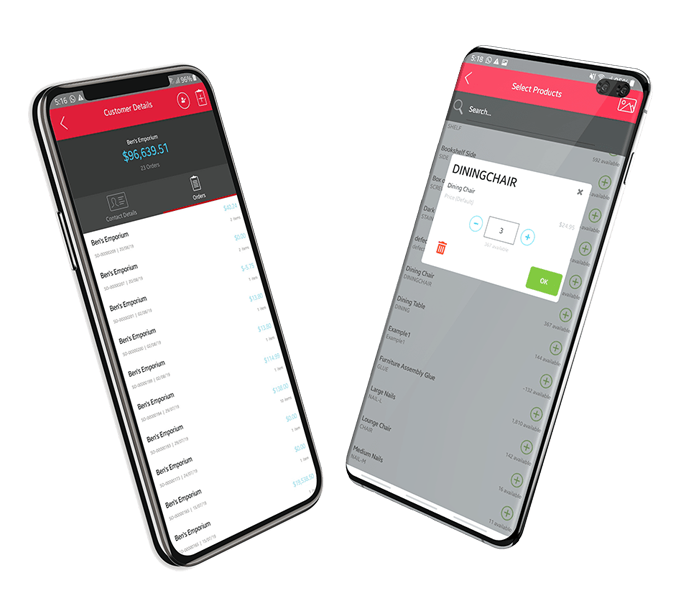
mobile app

1

Goals & Strategic Objectives

  • Enable high-frequency operational tasks
  • Reduce friction in mobile interactions
  • Improve responsiveness and perceived speed

2

Design Strategy & Approach

We applied:

  • Contextual prioritization
  • Streamlined task flows
  • Simplified navigation architecture
  • Clear touch interaction affordances
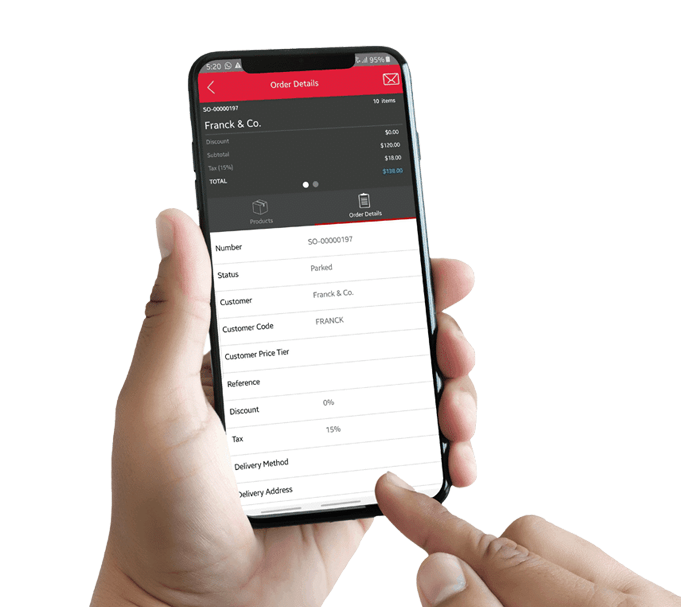
mobile app
Arrow
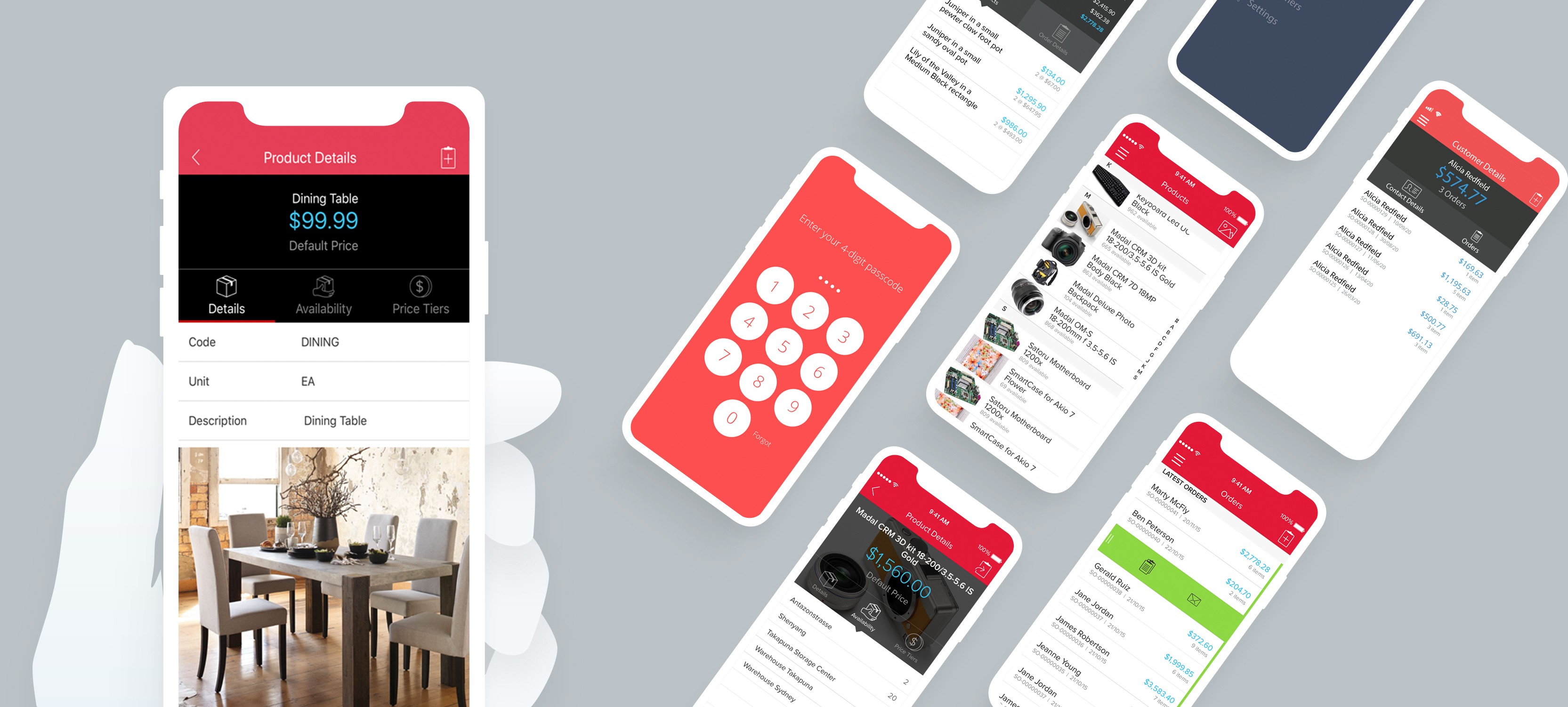
mobile app

3

Solution

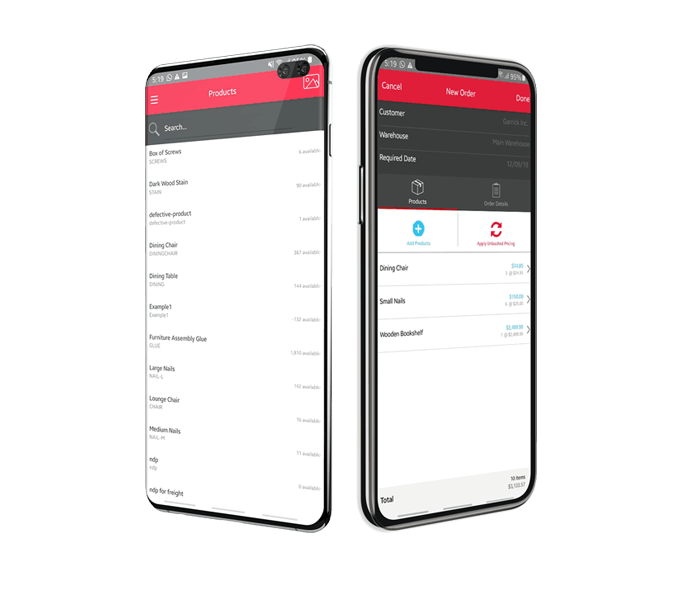
  • Redesigned core mobile flows
  • Reduced step count in key actions
  • Improved search and quick-access functions
  • Aligned UI with desktop ecosystem for continuity

Results & Impact

  • Increased mobile engagement
  • Improved task completion efficiency
  • Strengthened ecosystem coherence

Reflection & Learnings

Mobile isn’t a smaller desktop — it’s a different intent space.

This project sharpened how we define feature priority by context rather than parity.

Future potential: offline-first capabilities for warehouse environments.

Unleashed Mobile App Operational Mobility

Context & Challenge

Inventory and operational users needed real-time visibility outside the office. The existing mobile experience lacked parity and clarity.

The goal wasn’t feature parity — it was contextual mobility.

Role & Contribution

Defined mobile-first prioritization framework

Led experience simplification strategy

Coordinated with backend teams on data optimization

Oversaw interaction design and mobile UI system alignment

Research & Insights

  • Users accessed mobile primarily for quick checks
  • Complex workflows were rarely completed on mobile
  • Speed and clarity outweighed feature breadth
mobile app

1

Goals & Strategic Objectives

  • Enable high-frequency operational tasks
  • Reduce friction in mobile interactions
  • Improve responsiveness and perceived speed

2

Design Strategy & Approach

We applied:

  • Contextual prioritization
  • Streamlined task flows
  • Simplified navigation architecture
  • Clear touch interaction affordances
mobile app
Arrow
mobile app

3

Solution

  • Redesigned core mobile flows
  • Reduced step count in key actions
  • Improved search and quick-access functions
  • Aligned UI with desktop ecosystem for continuity
Arrow down

Results & Impact

  • Increased mobile engagement
  • Improved task completion efficiency
  • Strengthened ecosystem coherence

Reflection & Learnings

Mobile isn’t a smaller desktop — it’s a different intent space.

This project sharpened how we define feature priority by context rather than parity.

Future potential: offline-first capabilities for warehouse environments.

Design

mobile showcase
vector
vector
vector
vector

figma.com

vector

Unleashed Mobile App Operational Mobility

Context & Challenge

Inventory and operational users needed real-time visibility outside the office. The existing mobile experience lacked parity and clarity.

The goal wasn’t feature parity — it was contextual mobility.

Role & Contribution

  • Defined mobile-first prioritisation framework
  • Led experience simplification strategy
  • Coordinated with backend teams on data optimisation
  • Oversaw interaction design and mobile UI system alignment

Research & Insights

  • Users accessed mobile primarily for quick checks
  • Complex workflows were rarely completed on mobile
  • Speed and clarity outweighed feature breadth
mobile app

1

Goals & Strategic Objectives

  • Enable high-frequency operational tasks
  • Reduce friction in mobile interactions
  • Improve responsiveness and perceived speed

2

Design Strategy & Approach

We applied:

  • Contextual prioritisation
  • Streamlined task flows
  • Simplified navigation architecture
  • Clear touch interaction affordances
mobile app
Arrow
mobile app

3

Solution

  • Redesigned core mobile flows
  • Reduced step count in key actions
  • Improved search and quick-access functions
  • Aligned UI with desktop ecosystem for continuity
Arrow down

Results & Impact

  • Increased mobile engagement
  • Improved task completion efficiency
  • Strengthened ecosystem coherence

Reflection & Learnings

Mobile isn’t a smaller desktop — it’s a different intent space.

This project sharpened how we define feature priority by context rather than parity.

Future potential: offline-first capabilities for warehouse environments.

Design

mobile showcase

figma.com